- Published on
Microsoft Defender for Cloud – Security Posture Management
 Prasanth Panneer Selvam
Overview
This case study demonstrates how Microsoft Defender for Cloud was used to assess the overall security posture of the Azure environment, investigate security recommendations, and map controls against industry compliance frameworks.
The objective was to simulate the security posture review process that cloud security engineers perform in real enterprise environments.
This implementation is part of the CloudGuard – Azure Secure Cloud Infrastructure project.
Security Posture Objectives
The Defender for Cloud assessment was designed to achieve the following goals:
- Review the Secure Score across the Azure subscription
- Investigate individual security recommendations
- Identify and document improvement areas
- Map controls against the Azure Security Benchmark compliance framework
- Simulate a real enterprise security posture review
Azure Services Used
- Microsoft Defender for Cloud
- Azure Security Benchmark
- Regulatory Compliance Dashboard
- Security Recommendations
Step 1 — Review Secure Score
The Secure Score dashboard was reviewed to assess the overall security posture of the Azure subscription.
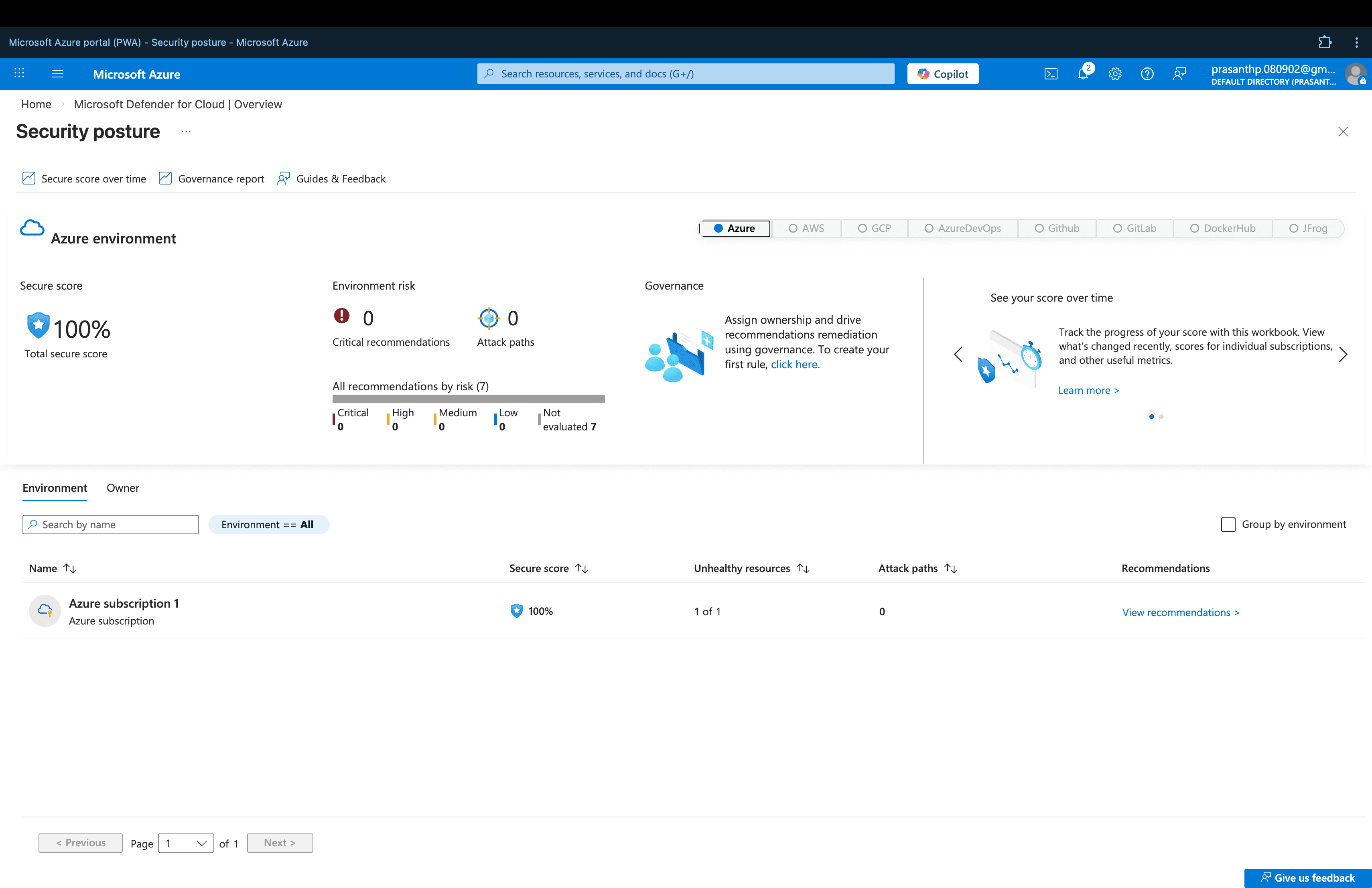
The Secure Score provides a quantified measure of the subscription's security posture — with higher scores indicating stronger security controls. Microsoft recommends continuously improving the score by addressing outstanding recommendations.
Step 2 — Investigate Security Recommendations
The Recommendations dashboard was used to identify potential security improvements across the Azure subscription.
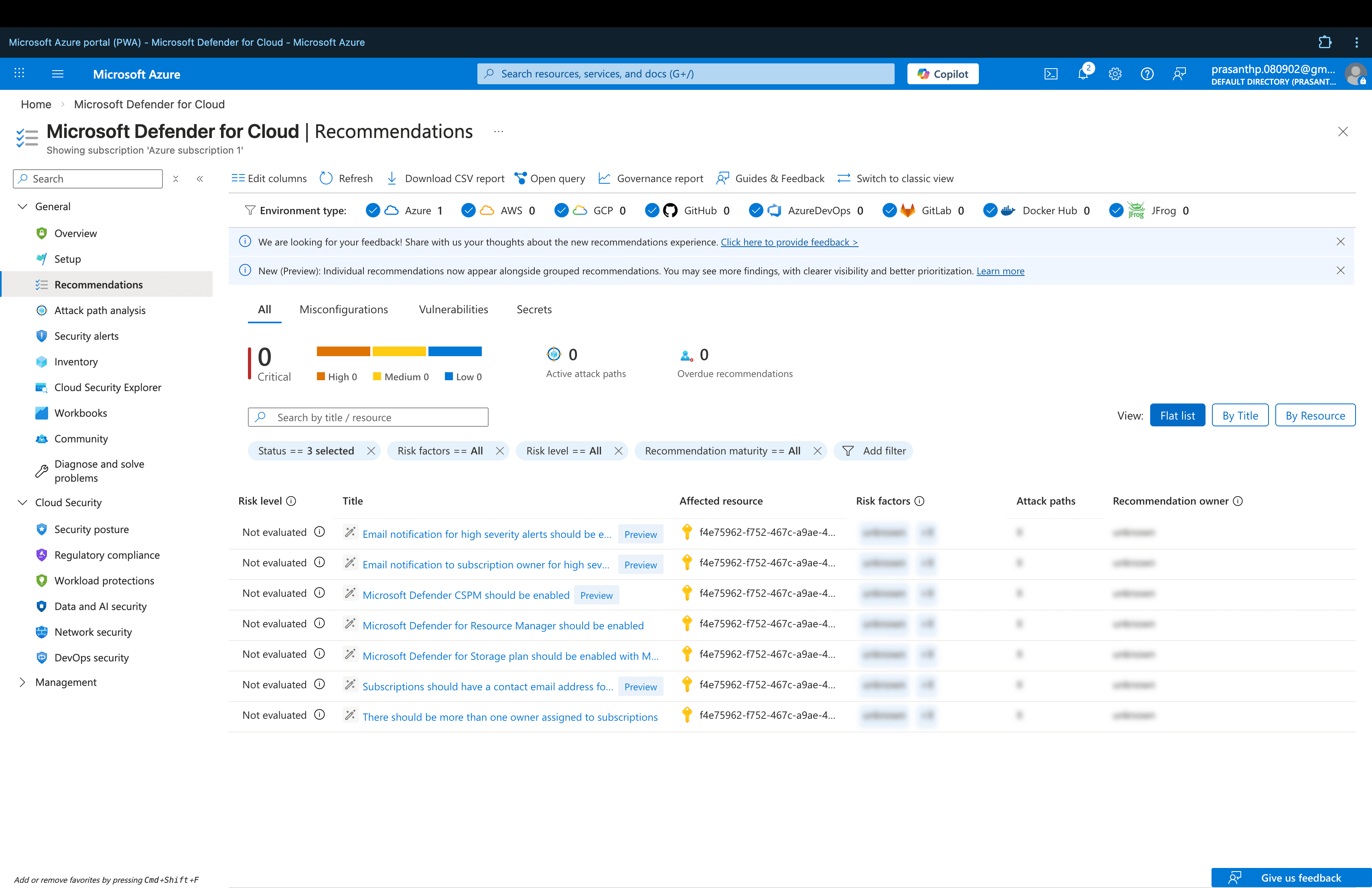
Security recommendations are organized by severity — Critical, High, Medium, and Low — enabling administrators to prioritize the most impactful improvements first.
Examples of recommendations reviewed include:
- Enabling alert notifications for security events
- Configuring Defender protection plans
- Improving monitoring and security controls
- Enabling diagnostic settings on resources
Step 3 — Review Regulatory Compliance
The Regulatory Compliance dashboard was used to map the Azure environment's controls against the Azure Security Benchmark framework.
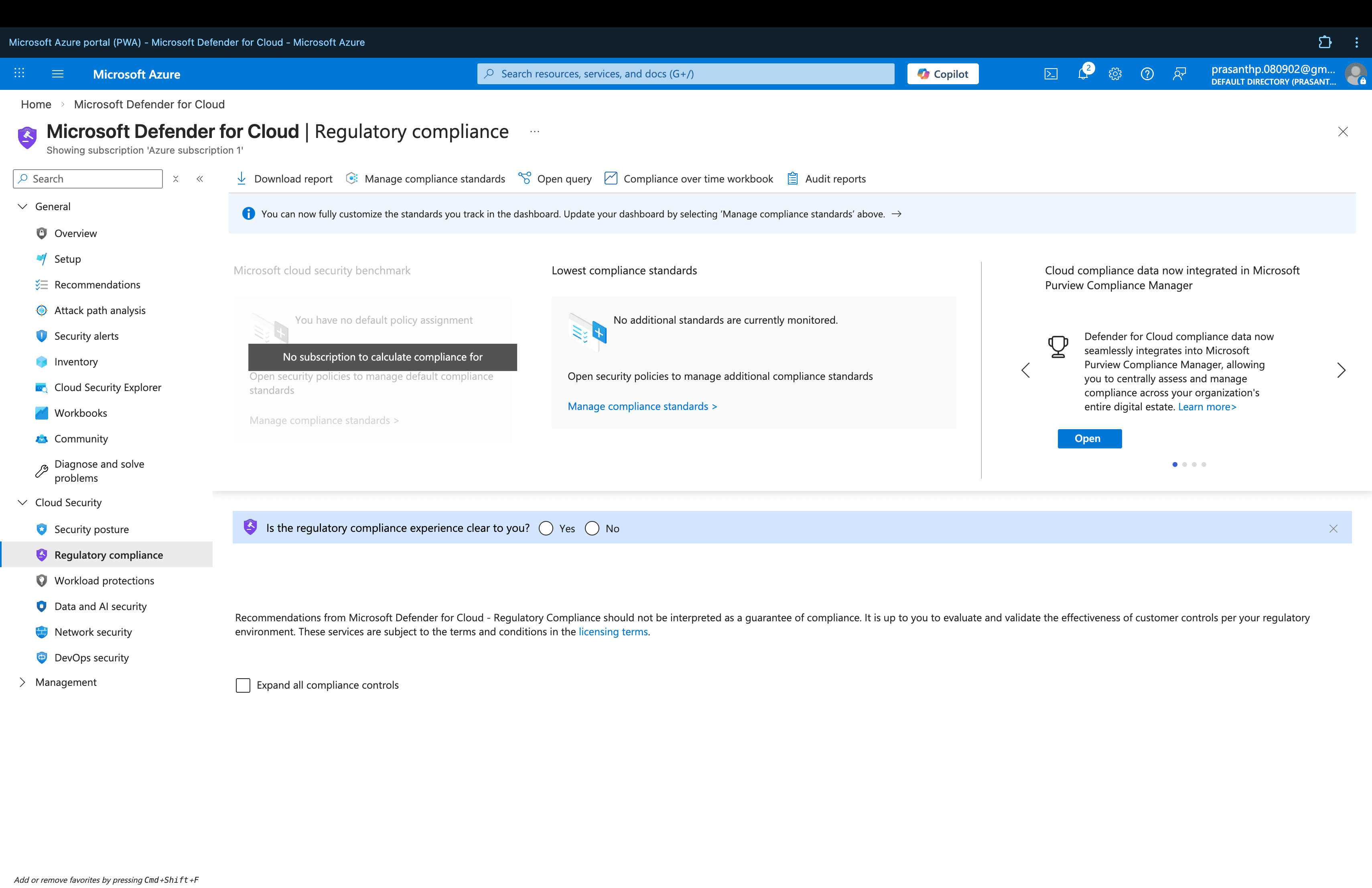
The compliance dashboard provides visibility into how Azure resources align with security frameworks — showing which controls are passing, failing, or not assessed.
This allows administrators to:
- Track compliance posture over time
- Identify control gaps against security benchmarks
- Prioritize remediation based on compliance requirements
- Generate compliance reports for auditing purposes
Security Posture Summary
| Area | Status |
|---|---|
| Secure Score | Reviewed and documented |
| Security Recommendations | Investigated and prioritized |
| Regulatory Compliance | Mapped against Azure Security Benchmark |
| Improvement Areas | Identified and documented |
Security Benefits
Using Microsoft Defender for Cloud for security posture management provides several key advantages:
- Continuous visibility into the security state of the Azure environment
- Prioritized recommendations to improve security controls
- Compliance mapping against industry security frameworks
- Proactive identification of vulnerabilities before they are exploited
- Single pane of glass for security posture across the entire subscription
Relationship to Main Project
This security posture assessment is the final phase of the CloudGuard – Azure Secure Cloud Infrastructure project — bringing together all previous phases into a unified security review.
➡️ View the full CloudGuard project: CloudGuard – Azure Secure Cloud Infrastructure