- Published on
Azure Security & Governance – Custom RBAC & Azure Policy
 Prasanth Panneer Selvam
Overview
This case study demonstrates how custom Azure RBAC roles and Azure Policy were implemented to enforce least-privilege access control and subscription-wide governance.
The objective was to create a custom role with the minimum permissions required for infrastructure visibility — and to enforce mandatory resource tagging using Azure Policy to ensure governance compliance across the entire subscription.
This implementation is part of the CloudGuard – Azure Secure Cloud Infrastructure project.
Governance Objectives
The security and governance implementation was designed to achieve the following goals:
- Create a custom RBAC role following the least-privilege principle
- Prevent users from modifying or deleting infrastructure without explicit permissions
- Enforce mandatory resource tagging at subscription scope using Azure Policy
- Simulate enterprise identity and access management practices
Azure Services Used
- Azure RBAC (Role-Based Access Control)
- Azure Policy
- Azure Subscription
- Azure Resource Groups
Part 1 — Custom RBAC Role
Step 1 — Define Custom Role Permissions
A custom RBAC role named phase5-monitor-reader was created with only the minimum permissions required for infrastructure visibility.
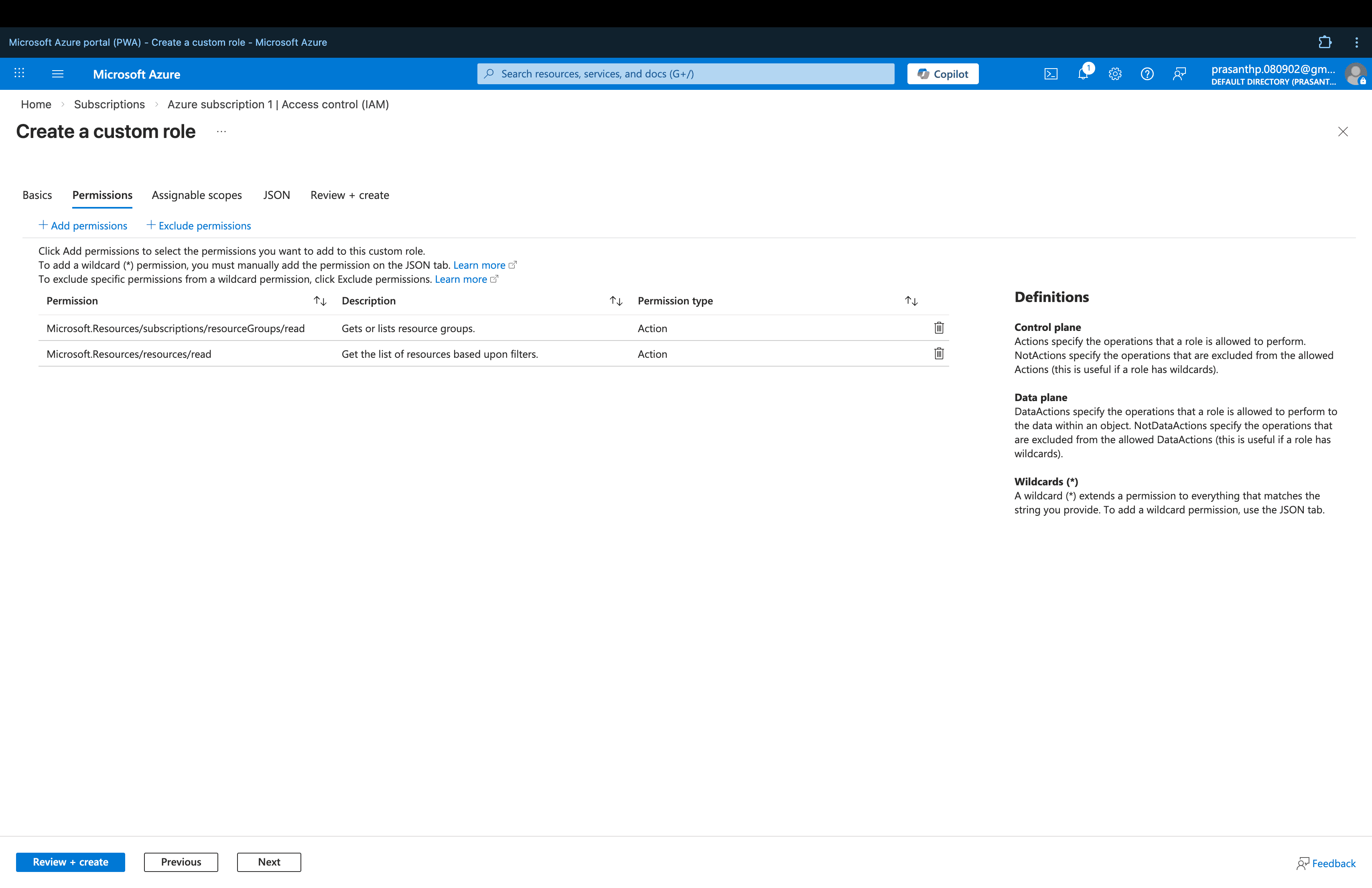
Permissions configured:
| Permission | Purpose |
|---|---|
Microsoft.Resources/subscriptions/resourceGroups/read | View resource group information |
Microsoft.Resources/resources/read | View Azure resources |
No write, delete, or administrative permissions were included — enforcing strict least-privilege access.
Step 2 — Verify Custom Role
After creation, the custom role was verified in the Azure portal.
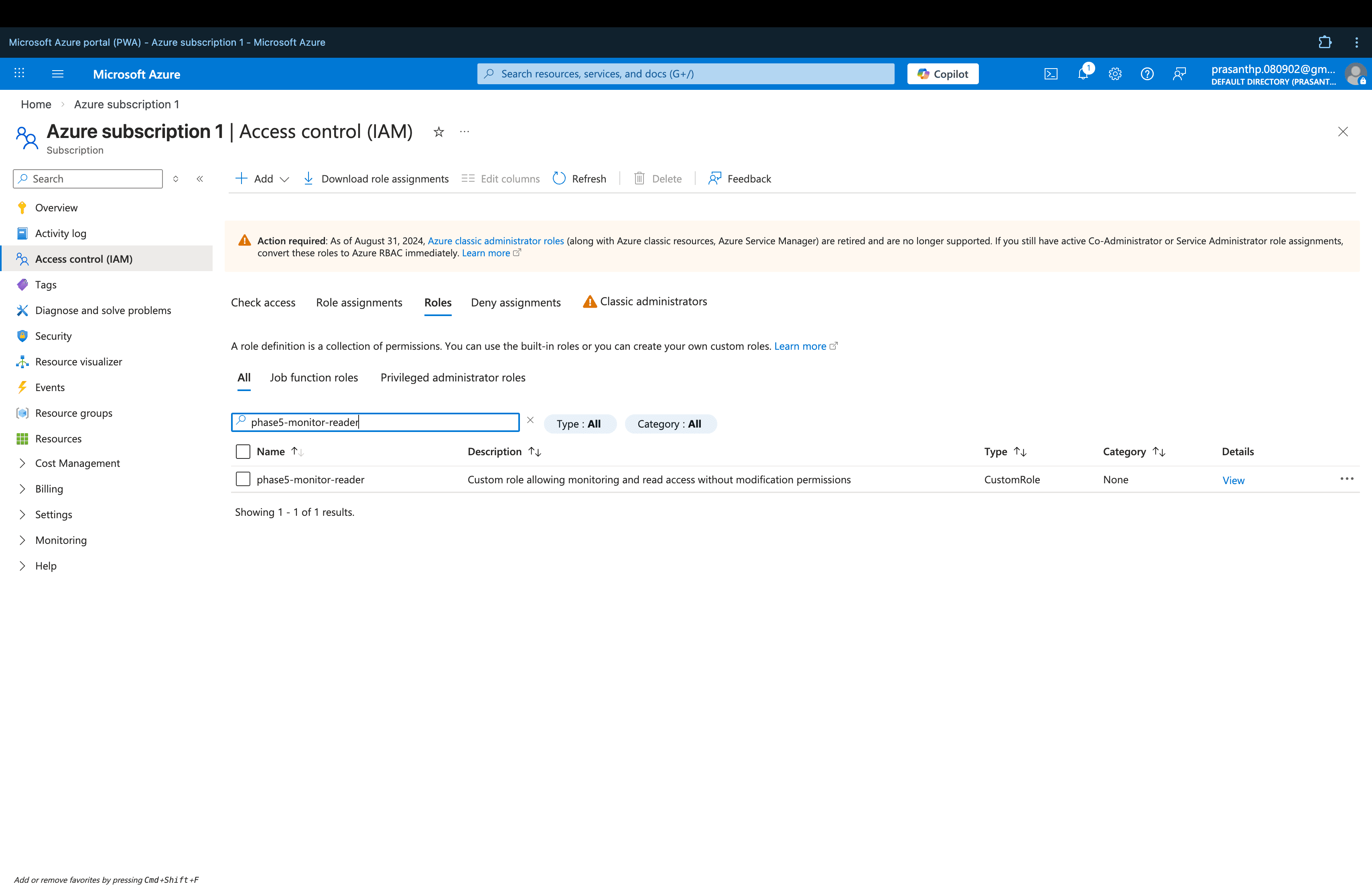
Users assigned this role can:
- View Azure resources across the subscription
- View resource group information
Users cannot:
- Create new resources
- Modify existing resources
- Delete infrastructure components
- Assign roles or manage access
This prevents accidental or unauthorized changes to the Azure environment while maintaining operational visibility.
Part 2 — Azure Policy Governance
Step 1 — Assign Policy
The built-in Azure Policy "Require a tag on resources" was assigned at the subscription scope.
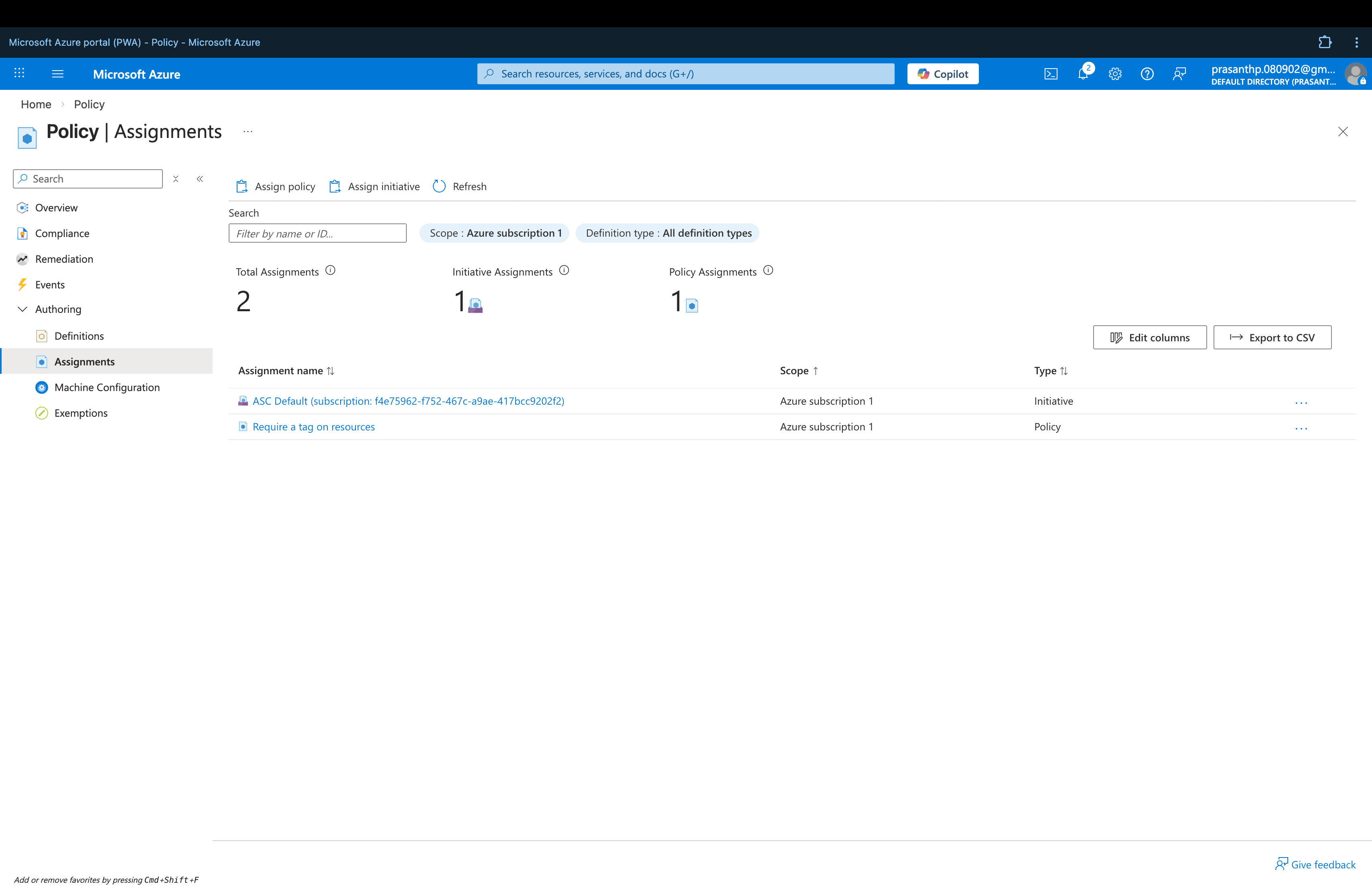
Policy Configuration:
| Setting | Value |
|---|---|
| Policy | Require a tag on resources |
| Tag Enforced | Environment |
| Scope | Azure Subscription |
| Effect | Deny non-compliant resources |
Step 2 — Review Policy Definition
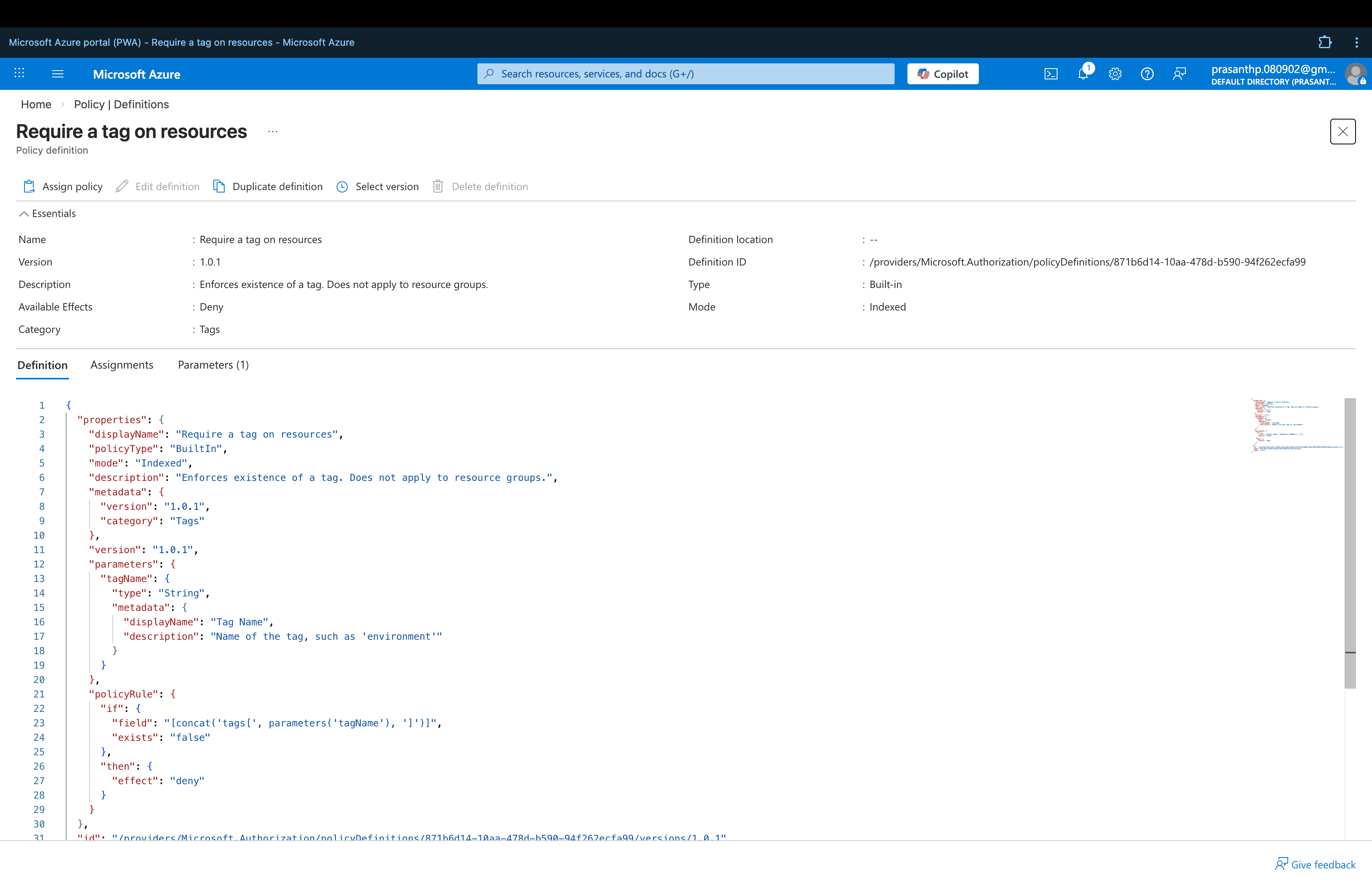
The policy definition confirms that any resource deployed without the mandatory Environment tag will be marked as non-compliant and denied.
Step 3 — Verify Policy Assignment
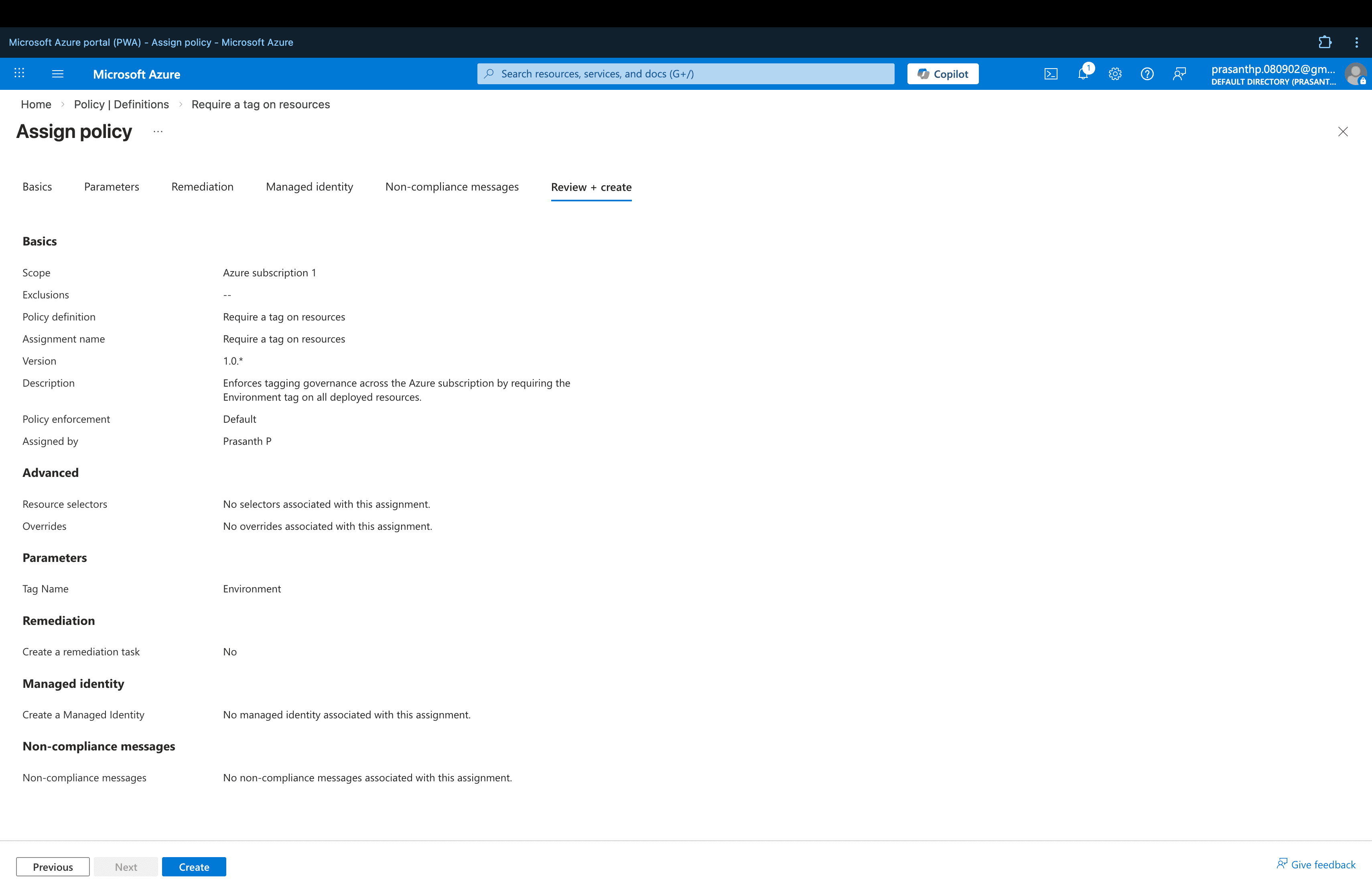
After assignment, the policy is actively enforced across the entire Azure subscription — ensuring all resources follow the organizational tagging standard.
Governance Benefits
This policy ensures that every resource deployed includes a mandatory Environment tag, enabling:
- Cost tracking — filter and allocate costs by environment
- Environment classification — Dev, Test, Production
- Governance compliance — enforce organizational standards automatically
- Resource organization — easier management at scale
Security Benefits
Implementing custom RBAC roles and Azure Policy provides several key security and governance advantages:
- Least-privilege access control across the subscription
- Prevention of unauthorized resource modifications
- Automated governance enforcement without manual oversight
- Compliance with Azure security best practices
- Scalable governance framework that can expand to cover more policies
Relationship to Main Project
This security and governance implementation is part of the larger CloudGuard – Azure Secure Cloud Infrastructure project.
➡️ View the full CloudGuard project: CloudGuard – Azure Secure Cloud Infrastructure