- Published on
Azure Monitor Alerting & Incident Notifications
 Prasanth Panneer Selvam
Overview
This case study demonstrates how Azure Monitor Alert Rules and Action Groups were configured to automatically detect administrative error events and notify administrators in real time.
The objective was to complete the full incident detection-to-notification pipeline — simulating how enterprise cloud environments respond to security events automatically.
This implementation is part of the CloudGuard – Azure Secure Cloud Infrastructure project.
Alerting Objectives
The alerting architecture was designed to achieve the following goals:
- Detect administrative error events in Azure Activity Logs automatically
- Notify administrators immediately when alert conditions are triggered
- Complete the full incident response loop from detection to notification
- Simulate real enterprise cloud monitoring operations
Azure Services Used
- Azure Monitor
- Alert Rules
- Action Groups
- Azure Activity Logs
- Email Notifications
Step 1 — Create Action Group
An Action Group was created first to define how administrators receive notifications when an alert fires.
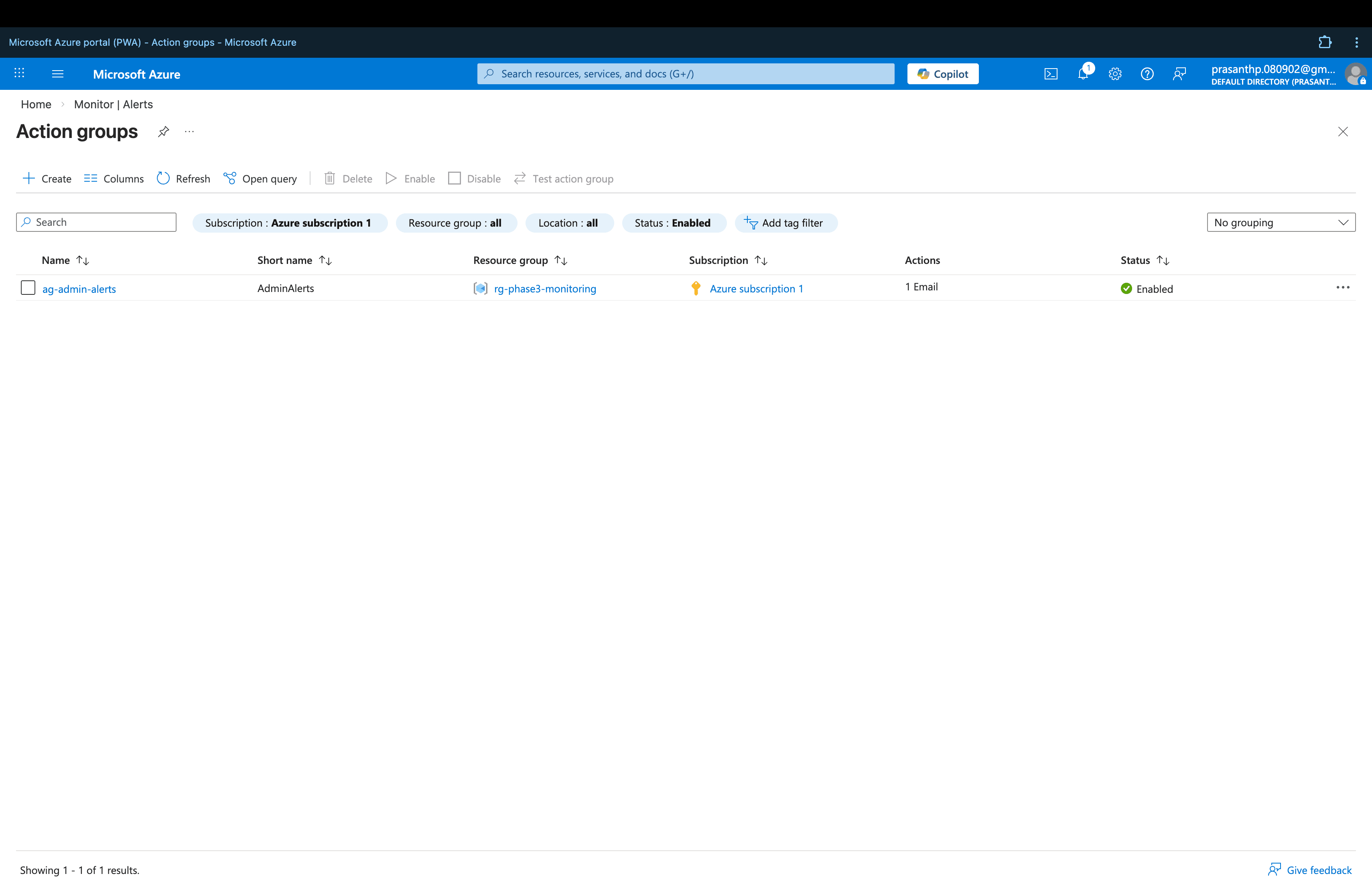
The Action Group was configured with email notifications so that administrators are automatically notified when alert conditions are met.
In enterprise environments, Action Groups can also trigger SMS, webhooks, Azure Functions, or ITSM integrations — making them a flexible incident response tool.
Step 2 — Configure Alert Condition
The alert condition was configured to monitor Azure Activity Logs for administrative error events.
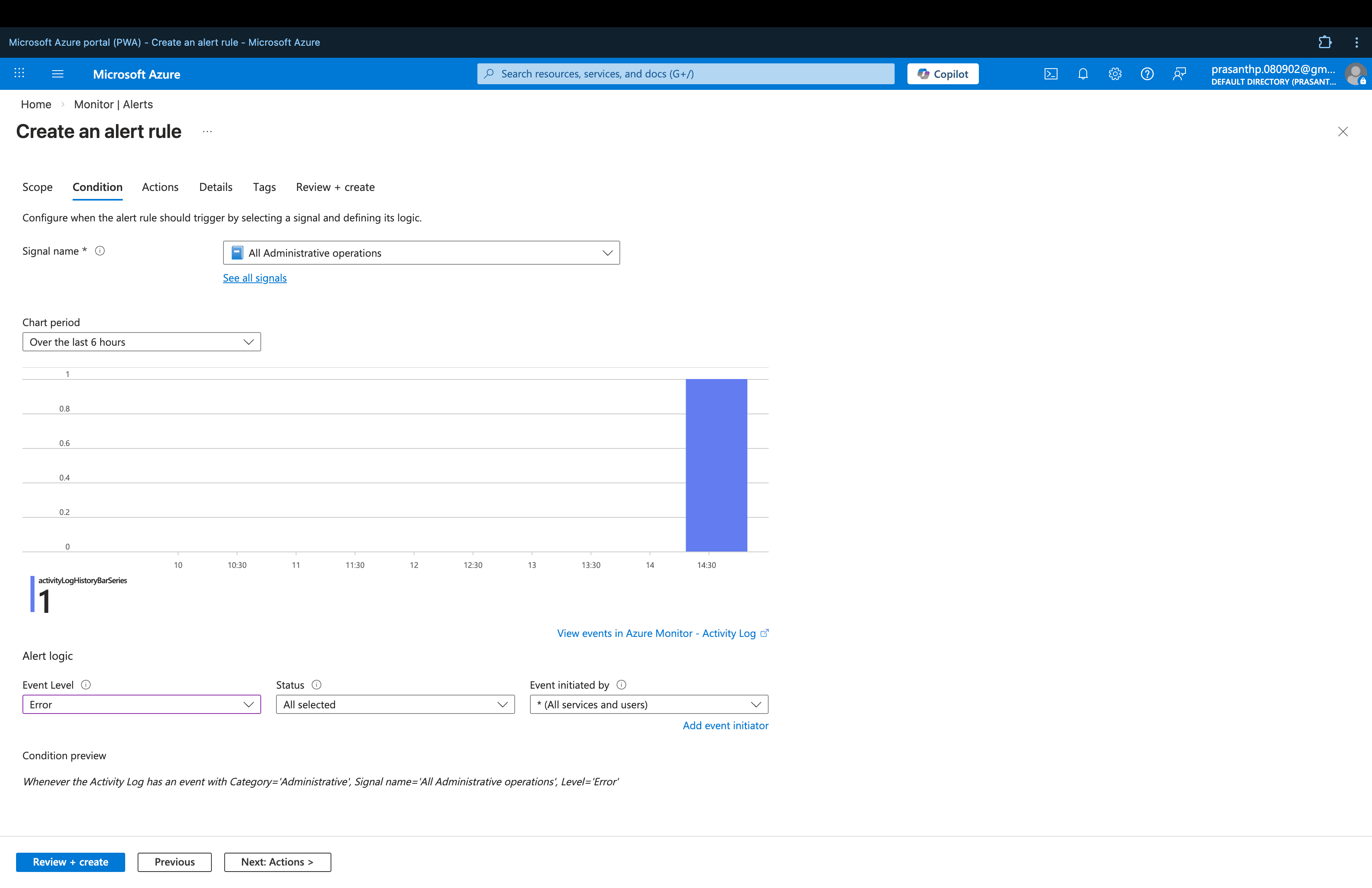
Alert Rule Configuration:
| Setting | Value |
|---|---|
| Signal Type | Activity Log |
| Category | Administrative |
| Event Level | Error |
| Scope | Azure Subscription |
This configuration ensures the alert triggers whenever a failed administrative operation occurs within the subscription.
Step 3 — Create Alert Rule
The Alert Rule was created combining the alert condition with the Action Group.
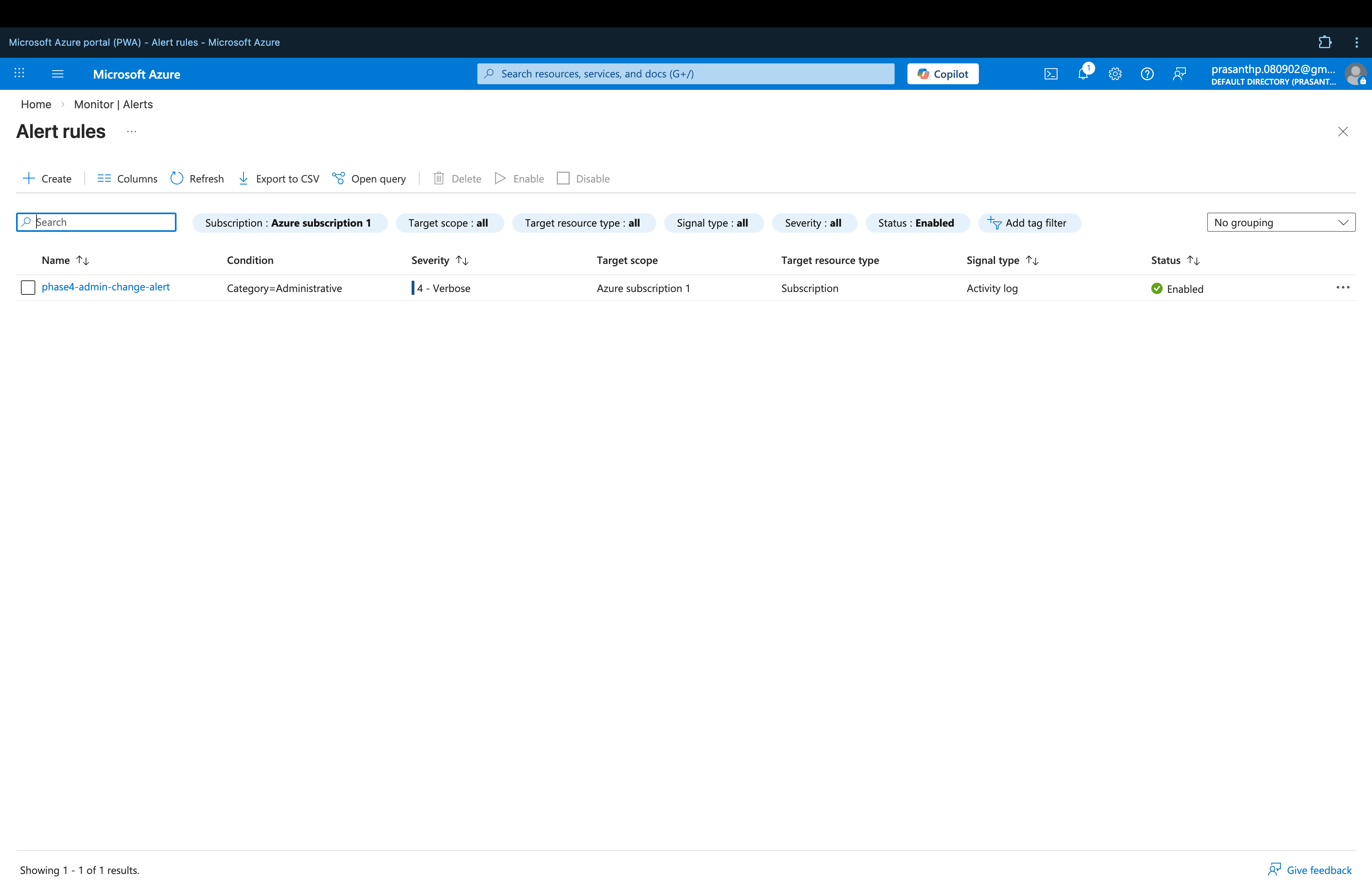
Full Alert Rule Configuration:
| Setting | Value |
|---|---|
| Alert Rule Name | phase4-admin-change-alert |
| Signal Type | Activity Log |
| Category | Administrative |
| Event Level | Error |
| Scope | Azure Subscription |
| Action Group | ag-admin-alerts |
| Notification |
Once deployed, the alert rule actively monitors Azure Activity Logs and automatically fires when matching events are detected.
Incident Response Flow
The complete incident detection-to-notification pipeline works as follows:
Azure Activity Log
        ↓
Administrative Error Event Detected
        ↓
Alert Rule Triggered
        ↓
Action Group Fires
        ↓
Email Notification Sent to Administrator
This ensures that no critical administrative failures go unnoticed — administrators are notified in real time regardless of whether they are actively monitoring the portal.
Security Benefits
Implementing automated alerting with Azure Monitor provides several key operational and security advantages:
- Automated detection of administrative failures and errors
- Real-time administrator notification without manual monitoring
- Reduced mean time to detect (MTTD) for security incidents
- Foundation for a complete incident response workflow
- Scalable alerting architecture that can expand to cover more event types
Relationship to Main Project
This alerting configuration builds directly on the monitoring pipeline established in Phase 3 and is part of the larger CloudGuard – Azure Secure Cloud Infrastructure project.
➡️ View the full CloudGuard project: CloudGuard – Azure Secure Cloud Infrastructure