- Published on
Cloud Security Monitoring & Log Analytics
 Prasanth Panneer Selvam
Overview
This case study demonstrates how a centralized security monitoring pipeline was built using Azure Log Analytics and Azure Activity Logs.
The objective was to stream all administrative, security, policy, and health events from the Azure subscription into a dedicated Log Analytics Workspace — enabling security investigation using KQL queries.
This implementation is part of the CloudGuard – Azure Secure Cloud Infrastructure project.
Monitoring Objectives
The monitoring pipeline was designed to achieve the following goals:
- Stream Azure Activity Logs into a centralized Log Analytics Workspace
- Enable KQL-based investigation of administrative events
- Detect resource modification and write operations
- Monitor for failed administrative operations
- Simulate real SOC analyst monitoring workflows
Azure Services Used
- Log Analytics Workspace
- Azure Monitor
- Azure Activity Logs
- Diagnostic Settings
- KQL (Kusto Query Language)
Step 1 — Create Resource Group
A dedicated Resource Group was created to isolate all monitoring resources for this phase.
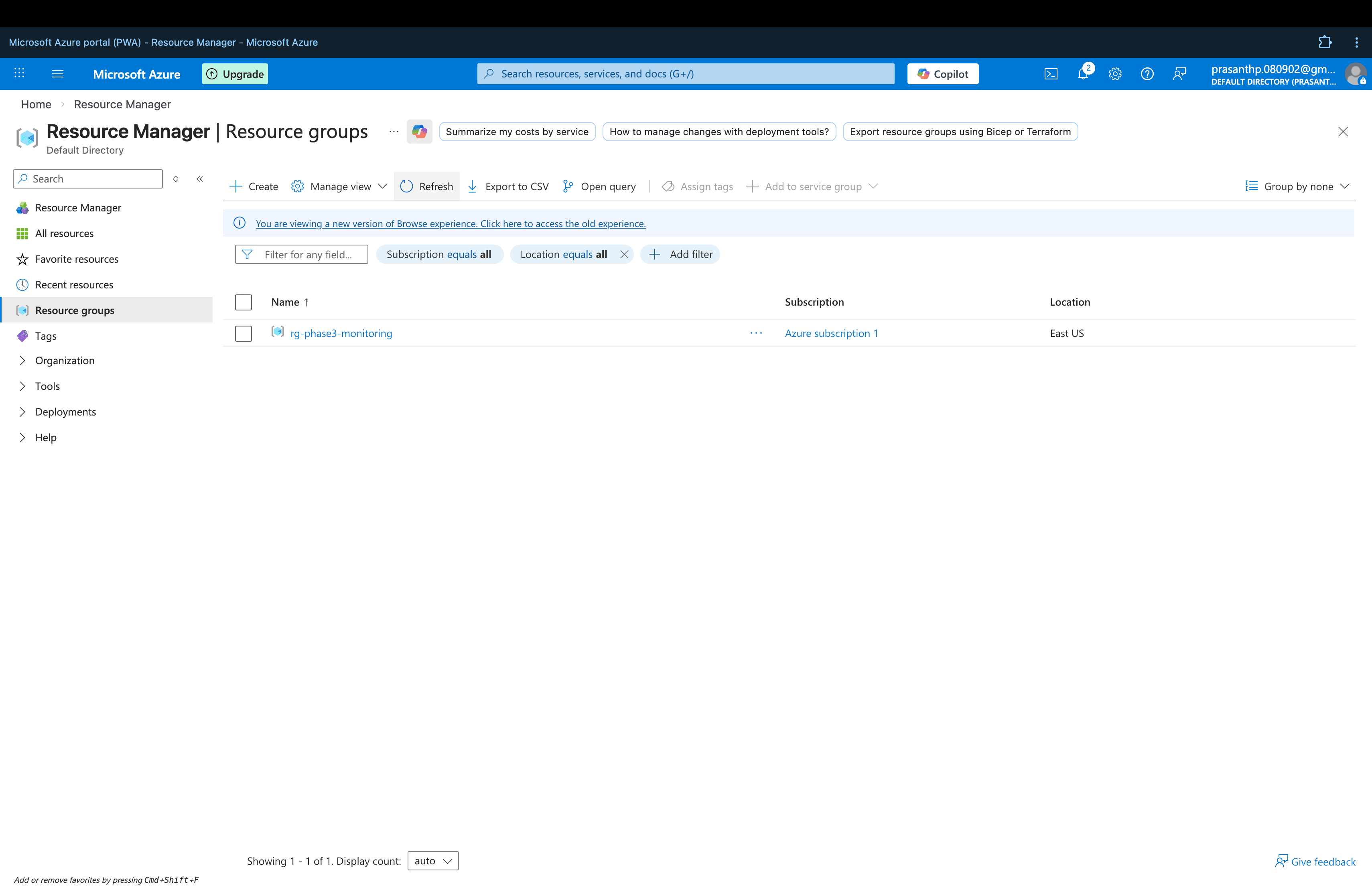
This improves organization, lifecycle management, and security segmentation of monitoring infrastructure.
Step 2 — Create Log Analytics Workspace
A Log Analytics Workspace was deployed to act as the central repository for all Azure Activity Logs.
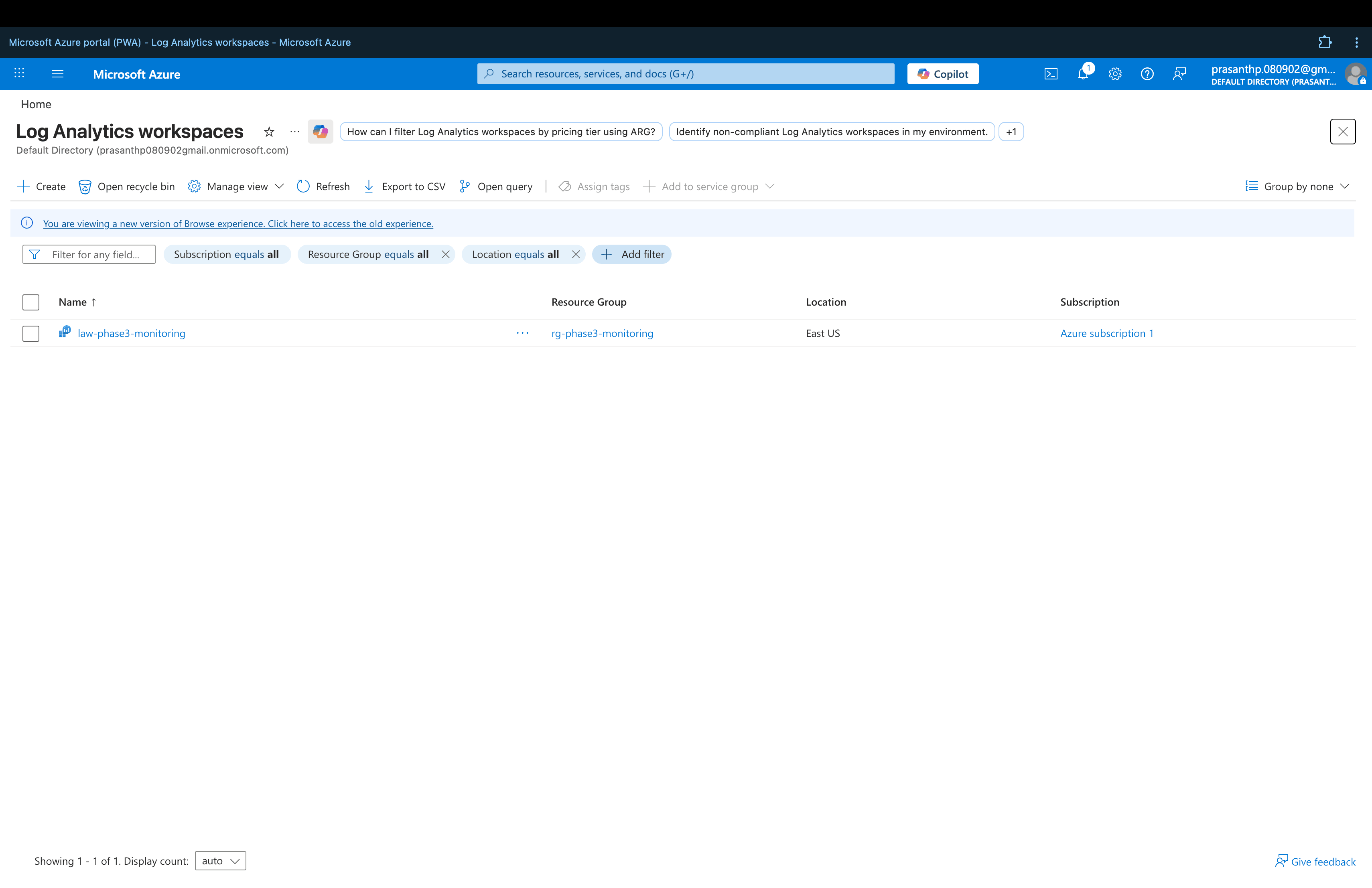
The workspace collects logs from Azure resources and enables analysis using Kusto Query Language (KQL) to detect operational and security anomalies.
Step 3 — Configure Activity Log Diagnostic Setting
Diagnostic settings were configured to stream Azure Activity Logs into the Log Analytics Workspace.
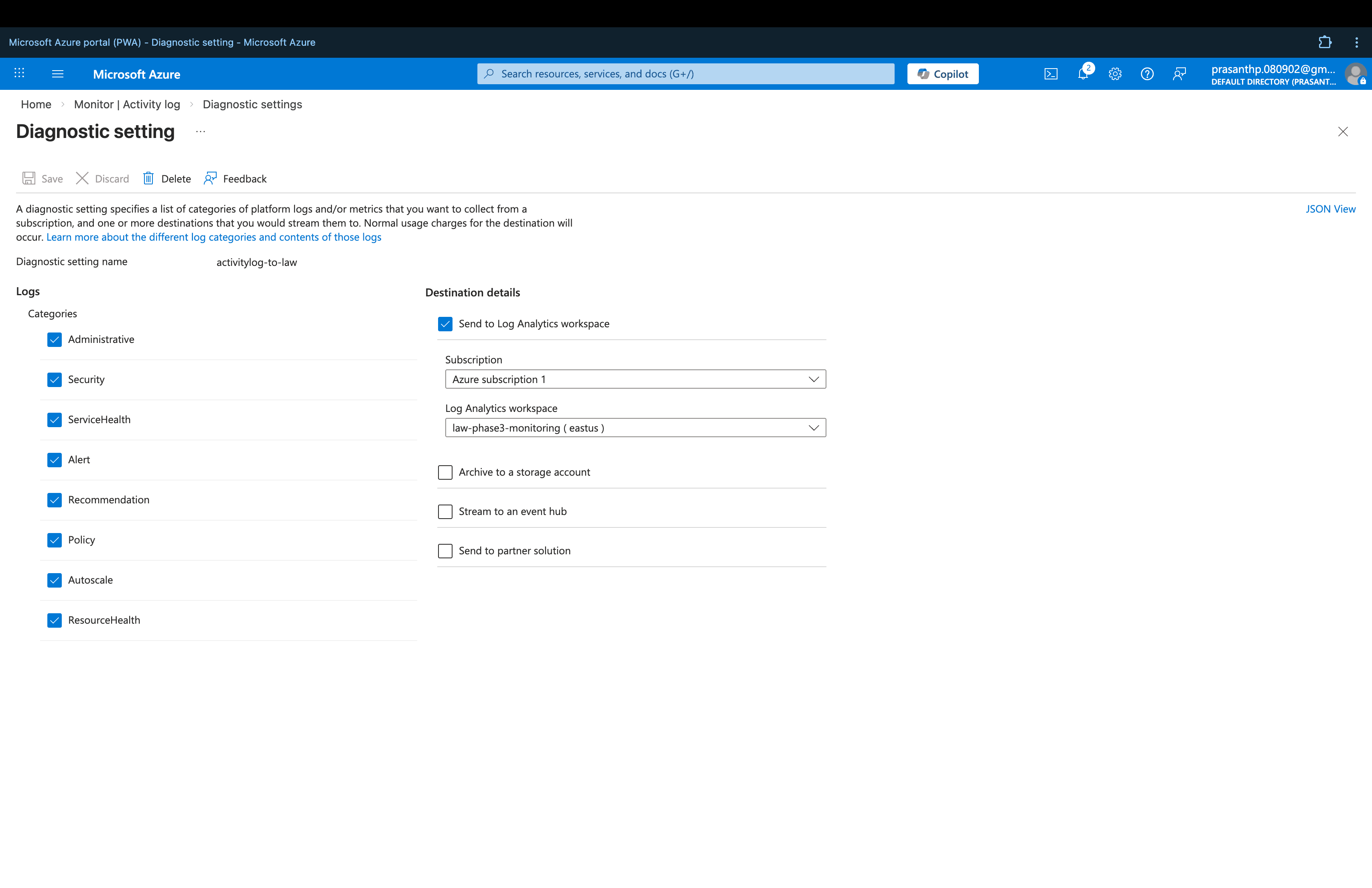
The following log categories were enabled:
- Administrative
- Security
- ServiceHealth
- Alert
- Recommendation
- Policy
- Autoscale
- ResourceHealth
This ensures all subscription-level activity is captured and available for investigation.
Real-world note: After configuring diagnostic settings, Azure required several minutes to ingest logs before queries returned results. This ingestion delay is expected behaviour in production environments.
Step 4 — KQL Security Investigation
Once logs were ingested, KQL queries were used to investigate activity across the subscription.
Recent Activity Investigation
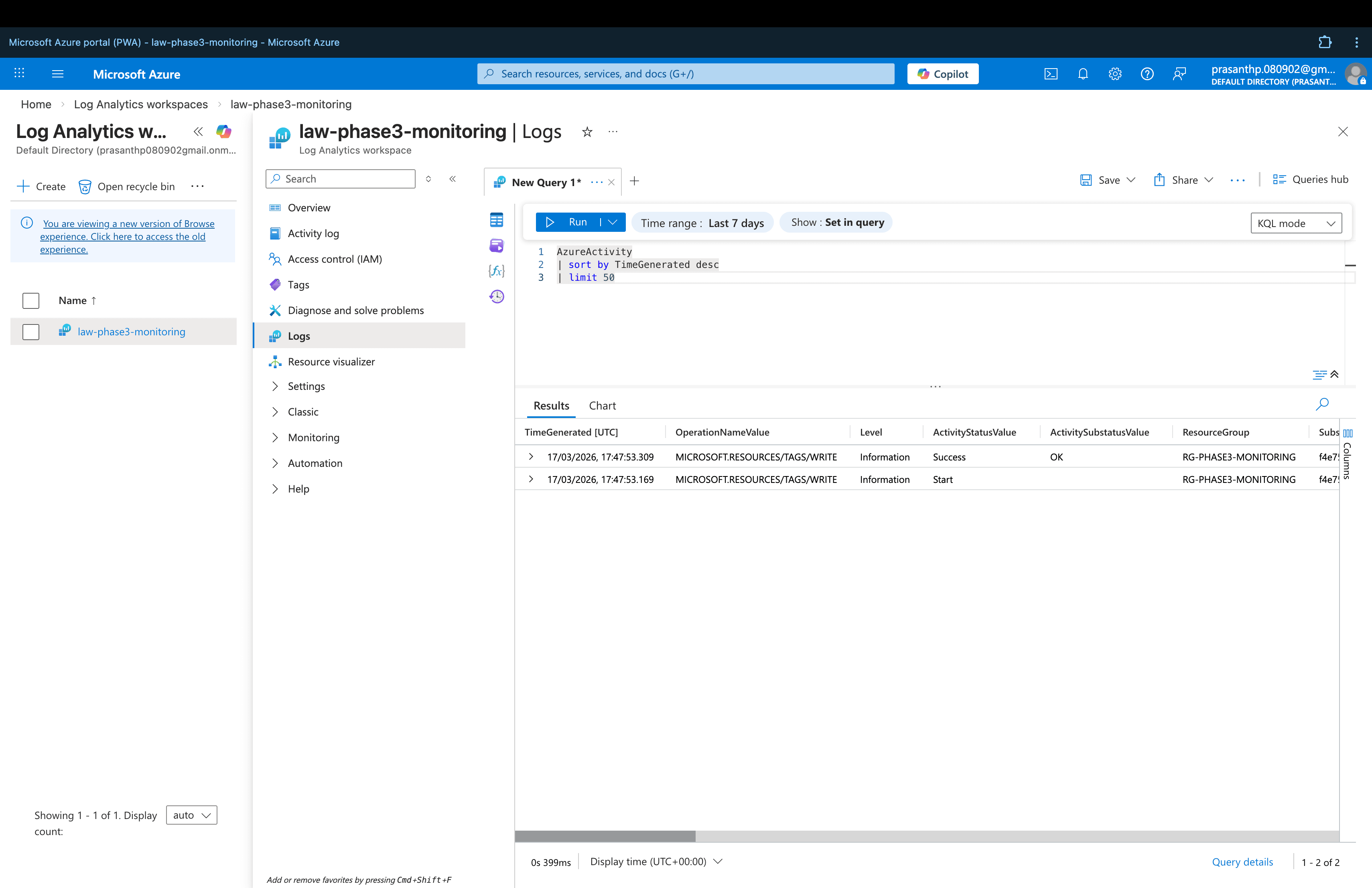
AzureActivity
| sort by TimeGenerated desc
| limit 50
This query retrieves the most recent administrative events across the Azure subscription, providing a real-time view of activity.
Resource Modification Monitoring
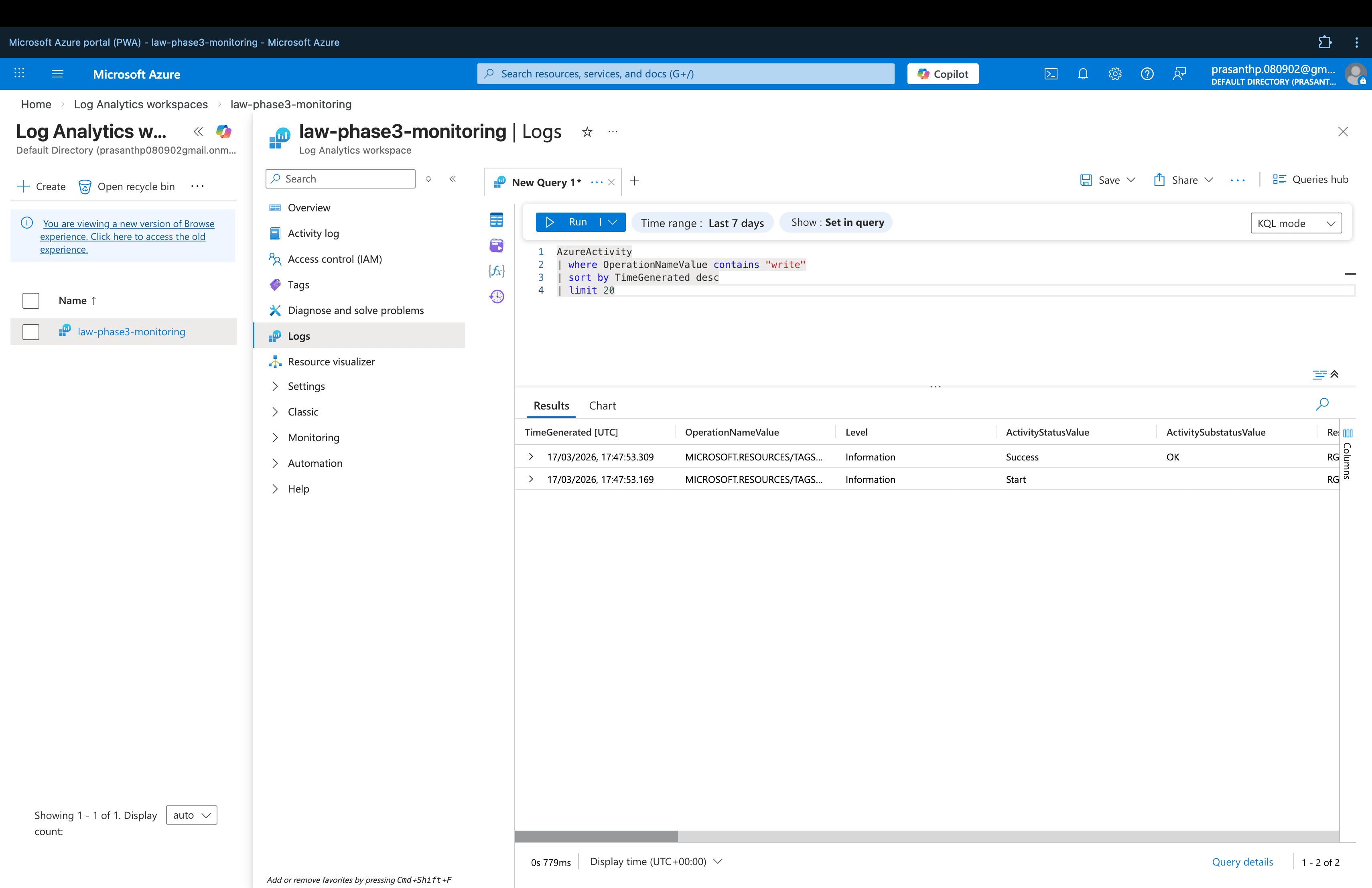
AzureActivity
| where OperationNameValue contains "write"
| sort by TimeGenerated desc
| limit 20
This query identifies resource creation and modification events, helping to detect unauthorized or unexpected changes to Azure infrastructure.
Failed Operations Detection
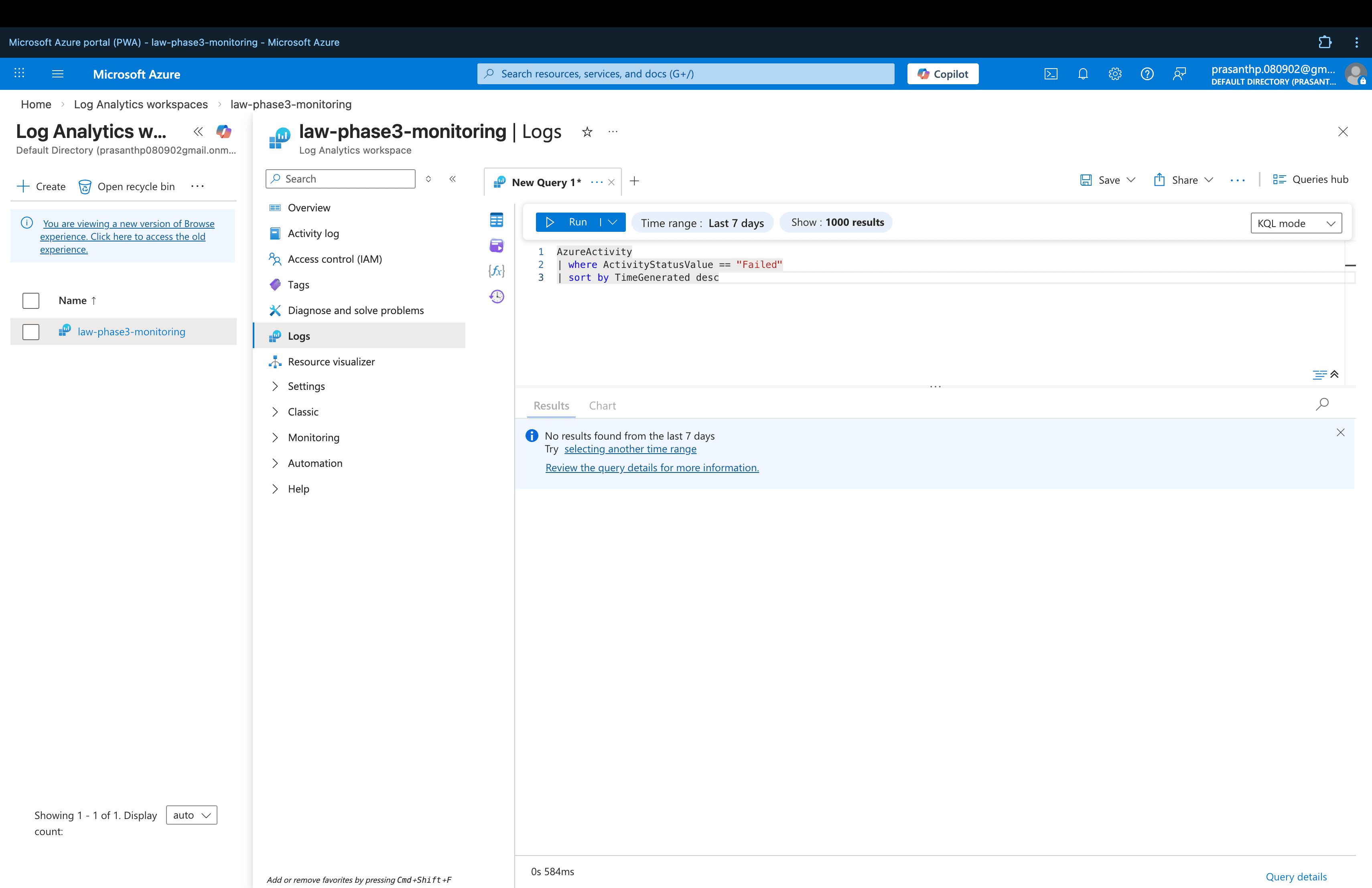
AzureActivity
| where ActivityStatusValue == "Failed"
| sort by TimeGenerated desc
This query surfaces failed administrative operations within the subscription — a key indicator of configuration errors, permission issues, or potential security incidents.
No failed operations were detected during the monitoring period, indicating a clean and successfully configured environment.
Security Benefits
Implementing centralized monitoring with Log Analytics provides several key security advantages:
- Full visibility into administrative activity across the Azure subscription
- Ability to detect unauthorized resource modifications in near real-time
- KQL-based investigation for security incident response
- Foundation for automated alerting on suspicious activity
- Audit trail for compliance and governance requirements
Relationship to Main Project
This monitoring pipeline is part of the larger CloudGuard – Azure Secure Cloud Infrastructure project.
➡️ View the full CloudGuard project: CloudGuard – Azure Secure Cloud Infrastructure