- Published on
CloudGuard – Azure Secure Cloud Infrastructure
 Prasanth Panneer Selvam
CloudGuard is an enterprise-style Azure security architecture project built from scratch using Azure-native services. The project simulates how real organizations design, monitor, and secure cloud infrastructure using network segmentation, centralized monitoring, automated alerting, RBAC governance, and security posture management.
The project is structured across 6 phases, each building on the previous one, covering the full cloud security lifecycle from network segmentation to compliance management.
Project Repository
Full implementation, screenshots, KQL queries, and architecture documentation are available on GitHub.
Architecture Diagram
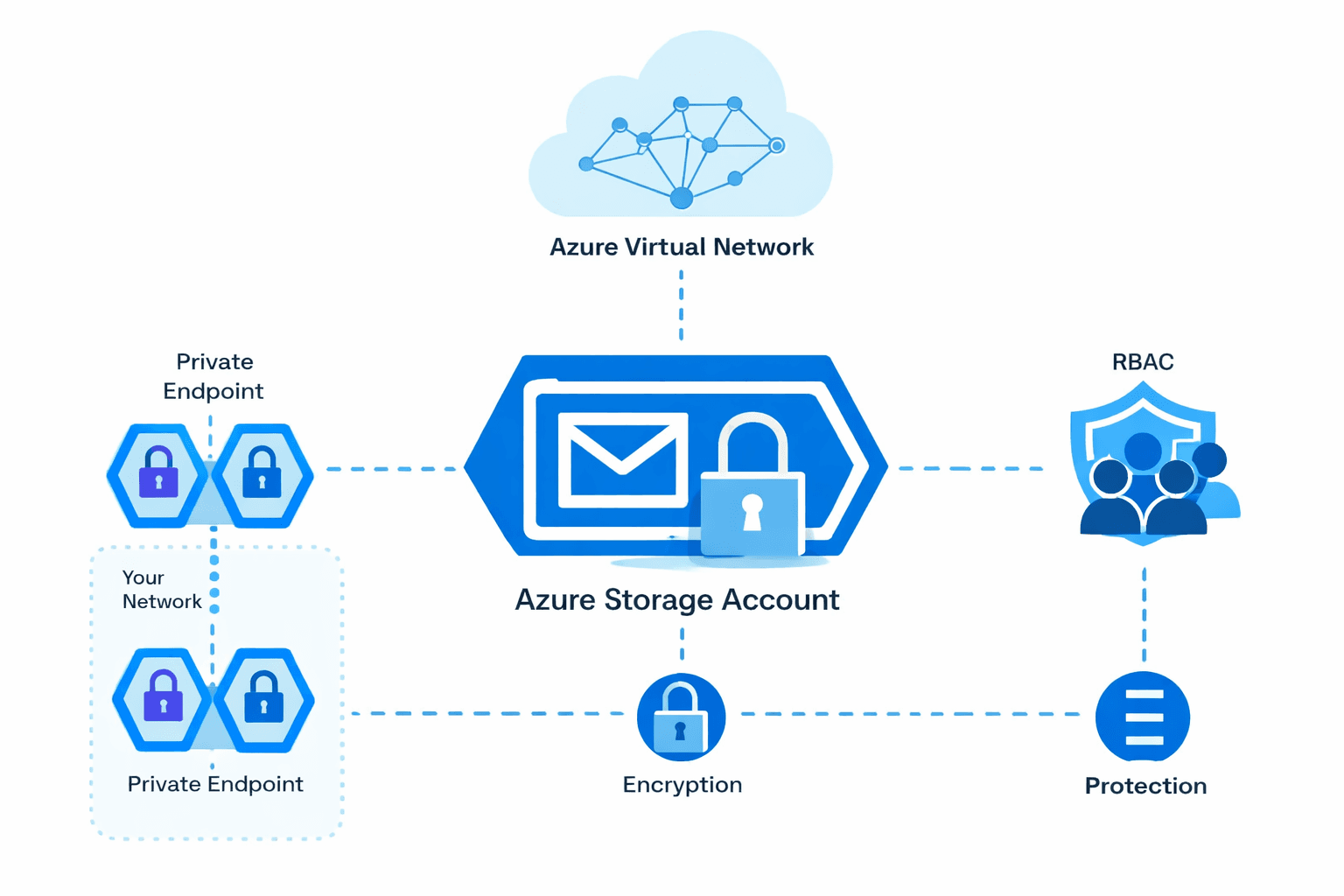
Architecture Overview
Azure Subscription
        │
        ├── Resource Group (CloudGuard-Sec-RG)
        │         ├── Virtual Network (10.0.0.0/16)
        │         │         ├── Public Subnet (10.0.1.0/24)
        │         │         └── Private Subnet (10.0.2.0/24)
        │         │                   └── NSG (IP Whitelisting /32)
        │         └── Storage Account
        │
        ├── Log Analytics Workspace (law-phase3-monitoring)
        │         └── Diagnostic Settings → Activity Logs → KQL Queries
        │
        ├── Azure Monitor
        │         └── Alert Rules → Action Groups → Email Notifications
        │
        ├── Azure RBAC
        │         └── Custom Role (phase5-monitor-reader)
        │
        ├── Azure Policy
        │         └── Require Environment Tag (Subscription scope)
        │
        └── Microsoft Defender for Cloud
                  └── Secure Score + Compliance Dashboard
Azure Services Used
- Azure Virtual Network (VNet)
- Network Security Groups (NSG)
- Azure Storage Account
- Log Analytics Workspace
- Azure Monitor
- KQL (Kusto Query Language)
- Azure Monitor Alert Rules
- Azure Monitor Action Groups
- Azure RBAC (Custom Roles)
- Azure Policy
- Microsoft Defender for Cloud
Architecture Design Principles
Least Privilege Access Access to resources is controlled using custom RBAC roles to ensure users only have the minimum permissions required for their roles — no write or delete access unless explicitly needed.
Network Isolation Azure Virtual Networks and Network Security Groups isolate the infrastructure and control inbound and outbound traffic using strict IP whitelisting.
Defense in Depth Multiple layers of protection are implemented — network security, identity governance, monitoring, automated alerting, and compliance enforcement.
Operational Visibility Azure Monitor and Log Analytics provide continuous visibility into Azure activity, enabling faster detection of suspicious or unusual operations using KQL queries.
Governance Enforcement Azure Policy enforces mandatory resource tagging at subscription scope, ensuring all deployed resources follow organizational standards.
Phase 1 & 2 — Infrastructure Setup & Network Security
Built the foundational Azure environment with a dedicated Resource Group, Virtual Network with isolated public and private subnets, and a Storage Account. Configured Network Security Group rules to restrict inbound traffic using strict IP whitelisting (/32 CIDR) and attached the NSG to the private subnet.
Resources Created:
- Resource Group:
CloudGuard-Sec-RG - Virtual Network:
10.0.0.0/16with public (10.0.1.0/24) and private (10.0.2.0/24) subnets - NSG with IP whitelisting (/32 CIDR)
- Storage Account
- Log Analytics Workspace
Key implementations:
- Subnet segmentation for network isolation
- NSG inbound rules restricting SSH access to specific IPs only
- Diagnostic settings enabled on NSG — logs streamed to Log Analytics
- KQL queries to validate NSG log ingestion
- Initial security posture review using Microsoft Defender for Cloud
Phase 3 — Cloud Security Monitoring & Log Analytics
Built a centralized monitoring pipeline by connecting Azure Activity Logs to a dedicated Log Analytics Workspace. Configured diagnostic settings to stream administrative, security, policy, and health events into the workspace. Used KQL to investigate activity events and detect resource modifications.
Resources Created:
- Resource Group:
rg-phase3-monitoring - Log Analytics Workspace:
law-phase3-monitoring - Diagnostic Setting:
activitylog-to-law
KQL Queries Used:
-- Recent activity investigation
AzureActivity
| sort by TimeGenerated desc
| limit 50

-- Resource modification monitoring
AzureActivity
| where OperationNameValue contains "write"
| sort by TimeGenerated desc
| limit 20

-- Failed operations detection
AzureActivity
| where ActivityStatusValue == "Failed"
| sort by TimeGenerated desc
Real-world note: After configuring diagnostic settings, Azure required several minutes to ingest logs before queries returned results. This ingestion delay is expected behaviour in production environments — and knowing this demonstrates genuine hands-on monitoring experience.
Phase 4 — Alerting & Incident Notifications
Configured Azure Monitor Alert Rules to automatically detect administrative error events. Created an Action Group to send email notifications when alerts fire — completing the full incident detection-to-notification pipeline.
Alert Rule Configuration:
| Setting | Value |
|---|---|
| Alert Rule Name | phase4-admin-change-alert |
| Signal Type | Activity Log |
| Category | Administrative |
| Event Level | Error |
| Scope | Azure Subscription |
| Action Group | ag-admin-alerts |
| Notification |
This simulates a real enterprise incident response workflow where administrators are automatically notified when abnormal activity occurs in the Azure environment.
Phase 5 — Security & Governance (Custom RBAC + Azure Policy)
Implemented enterprise-grade access control by creating a custom RBAC role with least-privilege permissions. Enforced governance using Azure Policy to require mandatory resource tagging across the entire subscription.
Custom RBAC Role — phase5-monitor-reader:
| Permission | Purpose |
|---|---|
Microsoft.Resources/subscriptions/resourceGroups/read | View resource groups |
Microsoft.Resources/resources/read | View Azure resources |
Users assigned this role can view resources but cannot create, modify, or delete any infrastructure — enforcing strict least-privilege access.
Azure Policy Governance:
| Setting | Value |
|---|---|
| Policy | Require a tag on resources |
| Tag Enforced | Environment |
| Scope | Azure Subscription |
| Effect | Deny non-compliant resources |
This ensures every resource deployed in the subscription includes the mandatory Environment tag — enabling cost tracking, governance compliance, and environment classification.
Phase 6 — Microsoft Defender for Cloud (Security Posture)
Used Microsoft Defender for Cloud to assess and improve the overall security posture of the Azure environment. Reviewed the Secure Score, investigated security recommendations, and mapped controls against the Azure Security Benchmark compliance framework.
Key Activities:
- Reviewed Secure Score across the subscription
- Investigated individual security recommendations
- Mapped controls to Azure Security Benchmark framework
- Documented compliance posture and improvement areas
Skills Demonstrated
Azure Networking
Cloud Security Architecture
Security Monitoring & Incident Detection
Azure Governance & Compliance
Infrastructure Logging & Diagnostics
KQL Security Investigation
Least Privilege Access Control
Outcome
This project demonstrates hands-on experience with real Azure security and governance operations.
Key capabilities demonstrated:
• Secure Azure networking using Virtual Networks and Network Security Groups
• Centralized monitoring using Log Analytics and Azure Activity Logs
• Security investigation using KQL queries
• Automated incident detection using Azure Monitor Alert Rules
• Least-privilege access governance using custom RBAC roles
• Subscription-level governance enforcement using Azure Policy
• Security posture assessment using Microsoft Defender for Cloud
CloudGuard replicates how Azure administrators secure and monitor production cloud environments.